WHAT'S NEW
What's landed on Mead
Every change you see on Mead shows up here, newest first.
For ages 18 and up.

Brasa is here
Where is Brasa?
Brasa, Mead's little green dragon, hides somewhere in the app every week: in the Hall, on the Map, in the Saga, in Preferences… The screen is the same for the whole Tavern, and his exact nook is different for each person. On Monday the bell says where to look, and on Thursday a clue arrives. Whoever finds him gets a footprint each week, and footprints give three titles: Sniffer on the very first, Tracker and Brasa's Friend. The Hall shows who found him first and how many in the Tavern have. And the Boost dragon mascot is now a griffin, because Mead's dragon is Brasa.
Did you know?
Now and then, Brasa shows up in a tankard in the corner of the screen with a tip about something you haven't used yet, a fact about your Tavern or a curiosity of Meadland, and his weekly clue comes that way too. The tankard drips while the note is open, and when the drop reaches the floor Brasa sneezes fire and it fades; with the pointer over it, it stays. He waits until you're free: never in a game or with a dialog open, and in a call only when you come back after being away for a while. If you close it without clicking, he takes longer to come back, and “Don't show again” or Preferences › Sounds turn it off.

Like the Bard's tracks
Like the Bard's tracks
Like what's playing? Tap the track's heart, in Now playing or in a station's track list. Only you see your likes, and the Liked filter, in the station list, gathers their stations. The progress bar now flows in the station's colors up to where the music is, and it's easier to drag for the owner and the DJ.
Nobody misses the conversation
New messages in sight
When someone writes in a Tavern's chat, a dot shows on its crest and on the Chat button; a mention of you or a reply to you becomes a number. Opening it, a line marks where the new ones begin, and older ones load as you scroll up. Each Tavern picks its own notice: every message, only mentions and replies, or nothing, and you can mute it for a while.
Mentions and replies in the bell
Whoever replies to a message of yours now lets you know, like a mention. Both reach the bell even when the chat has moved on, take you straight to the message and leave once you read the chat. With Mead closed, they come as a phone notification, if you turned those on.
Report a message
In a message's menu, Report message sends the Mead team that message as it is, even if it is edited or deleted later. Its author is not told who reported it.

New reactions and games in your colors
New reactions, with real sounds
The Room's reactions went from 14 to 48. From level 1 there's Thumbs up, Bye, Thanks, Belly laugh and Cursing, and each level brings more: Hug, Wow, Fist bump, Startled mug, Too cool, Mind blown and, at 40, the GOAT. Many have recorded sounds, and several draw one of a few each time they're sent, the same one for everyone in the Room. The Dragon, the Shield, the Critical hit and Good game got painted art. They're all in the dock's React.
Games in your palette
Activities now follow the palette you picked in Preferences › Appearance: each game's frame, panels, buttons and fields take its colors. The table art, the cards and the team colors stay each game's own, so every game keeps its look.

Your Tavern and new games
The invite comes ready
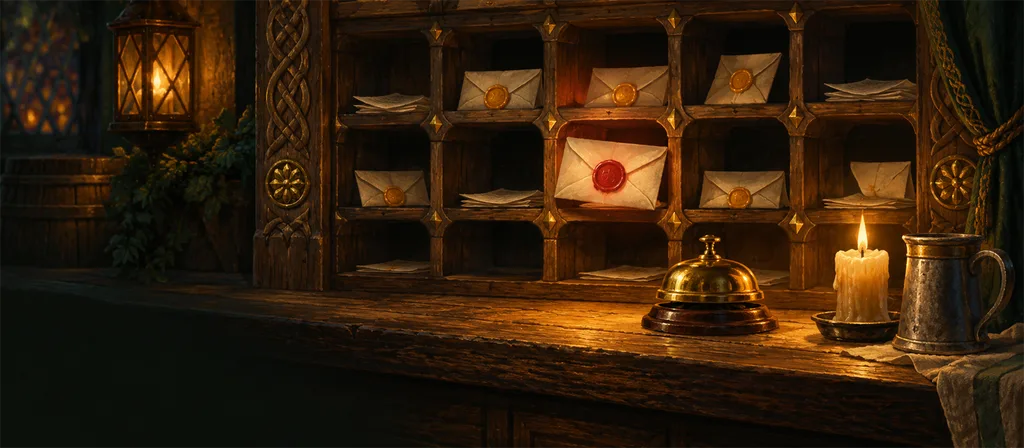
Invite opens a letter with your Tavern's seal and the link already made, with no extra click: copy it or send it on WhatsApp, another app or by e-mail. It says which Room the invite leads to, how long it lasts and whether the person waits for approval, and it shows the Tavern's fixed link too.
Your Tavern's link
Every Tavern now has a fixed address, made from its name, like mead.gg/t/the-laughing-raven. With “Anyone with the link”, whoever opens it comes straight in, or asks to join if the Tavern approves entries. Invite only, the link just says it is invite only; open on the map, it leads to the Tavern on the map. The leader changes the link in the Tavern's General tab, and the old one stops working.
Founding a Tavern, from scratch
Creating a Tavern is now founding one: you pick a Meadland region and see its landscape, weather and building, choose one of 40 painted icons, eight per region, and watch the sign with the name take shape. The icon you pick is the one everyone sees, and you can change it later in Appearance.
Who's playing what
In the call, whoever is in a match gets the game's icon on their portrait, and the Activities button counts how many are at each table. You can see at a glance who's at the truco and who's still free.
Activities by category, and a count before the start
Activities now sort into Drawing, Words, Bluff and Cards, with bigger cards. Every match counts 5, 4, 3, 2, 1 before the first clock runs, the quick guide shows while the table is still being set, and any free seat sits whoever clicks it.
Back Table: truco and poker
A card table at the back of the Tavern, with Mead's illustrated deck, and everyone sits as a character: the skald, the seer, the smith… In Brazilian truco, for 2, 4 or 6, there's the manilha, the hand of eleven, cards face down and signals only your partner sees. In poker, for 2 to 8, the bone chips only count at the table, and every hand comes from a sealed deck anyone can check at the end.
Twisted Tale, the drawing telephone
Another new activity, for 3 to 12 people. Everyone starts a tale, and at every step it moves one seat along: whoever gets a sentence draws it, whoever gets a drawing describes it. At the end the raven reads the tales out note by note, everyone gives three feathers, and the most twisted tale can go on the Tavern's Board.
Tankard Slam, the tavern's word race
A new activity in the call, for 2 to 12 people. A letter is drawn, everyone fills the scroll, and whoever finishes slams the tankard: the others get 3 seconds. Slamming is a bet, +10 or −10. In the Judgment, the table contests what doesn't count and toasts the funniest answer. There are classic categories, the Tavern's and any the table makes up.

Your shortcuts, from inside your game
Camera, screen and React without leaving your game
In the Mead app, shortcuts work with Mead in the background during a call, on the keyboard or the mouse: turn the camera on and off, share your screen (the screen picker shows over your game) and send the reactions, stickers and sounds of your React shortcuts. The new Share the window in front shortcut (Alt+Shift+J) shares the game or app in front at once, without picking a screen, and shortcuts take the numeric keypad, such as Alt + Num . (with Num Lock on). Push to talk stays on a mouse button. It comes with version 0.1.31 of the app, which updates itself.
Mead's colors
Light palettes
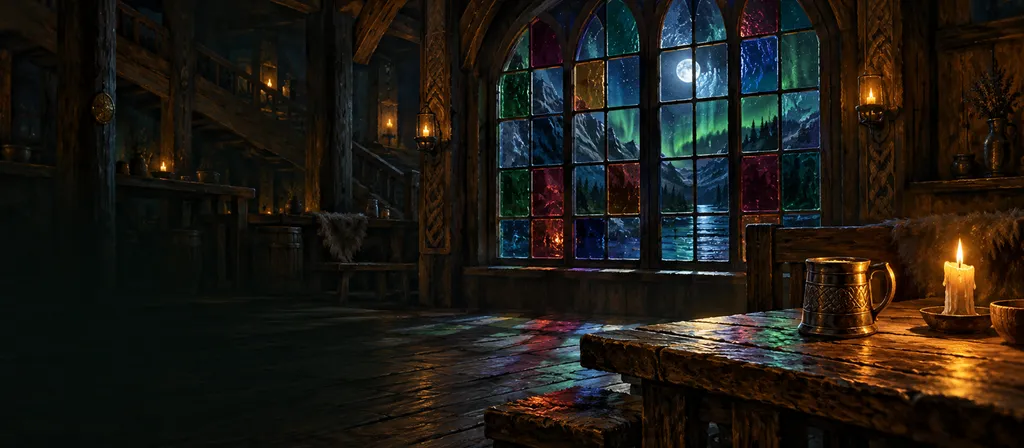
For those who prefer dark ink on light paper: Parchment, Snow, Mist and Heather make Mead light, with banners, calls and games still in the dark. They come with Mead Plus, in Preferences › Appearance.
Choose Mead's colors
In Preferences › Appearance, Mead now has palettes. Deep forest stays the default, and Slate, Oak and High contrast are for everyone. Hover or use the arrow keys to see each one on the whole app before you pick. With Mead Plus, eight more dark ones, such as Aurora, Fjord and Ruby.

Shortcuts that reach your game
Swap shortcuts around
In Preferences › Shortcuts, when you record a combination another action already has, Mead asks whether to use it there. If you say yes, the two actions swap shortcuts. Microphone options left the list: they open from the arrow beside Microphone.
Mic and Audio from your keyboard, even in a game
In the Mead app, the keyboard shortcut you chose for Microphone or Audio also works with Mead in the background, during a call: mute or bring the sound back without leaving your game. Push to talk stays on a mouse button. It comes with version 0.1.30 of the app, which updates itself.

The Bard opens the Night
The Night's music
When you mark a Night, pick the station it will play. At the set time, the Bard opens the Night with the Open Doors and starts its music in the Night's Room. If someone already has music playing, it stays, and the chat says the Night began.
See what your friends are hearing
People from your Tavern show their Room and its music: "In a call · Fogueira do Norte · listening to Mead Hall Revelry", in the friends list, on their card and in your conversations. In the list of Rooms, each Room shows the station playing, before you join.
The Bard introduces the tracks
With each new track, the Bard says in the chat what is playing, with a line about it: "Now: Ink, lute and recorder for the first stroke of the pen". The new line takes the place of the one before, so the chat doesn't fill up.
Music on the Map
A Tavern with the Bard playing lets notes rise from its roof, beside the chimney smoke. In the list and on the Tavern's card, "Bard playing" shows next to "In a call".

Your saga and simpler sounds
Your saga
The crest now opens Your saga, in place of My profile: your medal and the level's XP at the top, the level trail with each medal, companion and reaction at the level it arrives, and the achievements in chapters that fill with your hours and your days. A tap on a seal shows what it asks, the title it gives and what you can equip. Photo, name and look stay in Edit profile.
A simpler sound library
In a call, the sound library is a single list: search, filter by favorites, your sounds or the Tavern's, and click a sound to play it. Adding a sound is now a step inside it. The volumes and muting live in Preferences › Sounds, and the stickers in React.

Map, stickers and games
The Bard has a playlist
Join several stations in a playlist with the + on each one, or single tracks with the + in the track list: each station plays whole, one after the other, its tracks shuffled and repeating at the end (both on to begin with, and the DJ decides). What plays stays pinned at the top of the Bard, with the track's name, the next one and every control on one line; the volume shows when you hover the speaker, or with a tap. The DJ jumps to any point by clicking the bar, and the lock screen and the media keys show the track. The Bard opens wide, and each station got an effect in its own colours.
The sticker pops out of your card
Like the reactions, a sticker now pops out of the sender's card, and each one plays the sound that matches its art (the Full Mug clinks). On a computer, React opens just by hovering it, and each shortcut shows the whole combination, like Alt+Shift+F1.
Stickers with sound
In React, each sticker recharges on its own, with the countdown on its button: you can send another one right away, and a sticker no longer holds the sounds back. With Mead Plus, the With sound switch makes each sticker play the sound that goes with it.
Who speaks, inside the game
In the call's games, the name of whoever is speaking lights up in the player list, and in Rune Word each name wears its team's colour. A click (or a right click) on a name opens the same menu as their card: volume, mute for you, profile and message. And the Camera stays lit in the dock while on, like Share.
Explore is now the Map, and it opens on your Tavern
Explore is now called the Map, and it opens on your Tavern, even a private one: only its members see it there. The building grows with the Nights, the mascot wakes up when someone is in the call, and a card in the corner says how far the Hall is from growing. In the Tavern, See on the map takes you straight there.
Meadland passport
The map's nine landmarks became stamps the Tavern earns by doing something together: the first Night, a game of Impostor, Rune Word or MeaDraw, the coat of arms, the mascot, a weekly contract, a Night with 4. The map's card points to the next stamp, and the Hall keeps the whole passport.
New stamp, right away
When a game ends and earns the Tavern's passport a stamp, a notice shows up right there in the call, with the landmark and how many are left. See on the map takes you to it.
This week's contracts on the Map
The Hall's three weekly contracts now wait on the Map, each at the landmark that suits it: Rune Word at the Arena, Impostor at the Lighthouse, MeaDraw at the Circle of the Ancients. The landmark shows how far along it is, and new contracts arrive every Monday.
Tavern card
In the Hall and on the map, Tavern card makes a picture with the Hall, the coat of arms, the mascot, the level and the stamps, ready for the group chat or Stories. It is made on your device.
The Bard has its own soundtrack
Witching Night on the Bard
Until November 2, the Bard has a Halloween station: a lantern-lit lullaby, a bubbling cauldron, a haunted manor and a pumpkin jig. Spooky with a wink, to play softly while you play The Impostor or draw in MeaDraw.
Every station's tracks
Every Bard station now shows its tracks: hear a 20-second preview just for you, without changing the Room's music, and, if you're the owner or have the DJ role, play from any track you like or go back to the previous one. Each station shows how it feels, every trait with its own bars (calm, festive, mysterious…), and the Music button says what's playing. Hover over it to pause, skip or turn it off without opening the Bard.
The Bard's stations
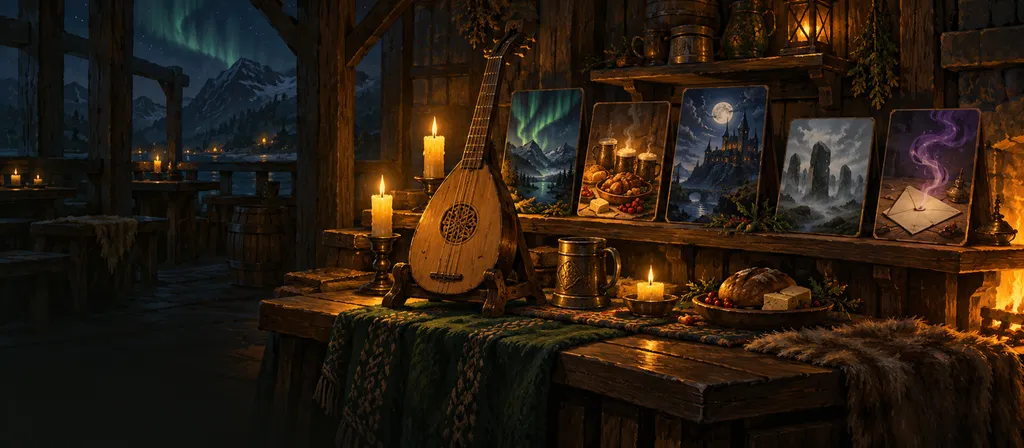
The Bard now plays Mead's own music: 12 stations, from hearth lo-fi to dungeon synth, each with its genres, its mood and the games it suits. It is in every Tavern, and inside MeaDraw, Rune Word and The Impostor a button at the top changes the station without leaving the game. The Tavern's owner or people with the DJ role choose; everyone sets their own volume.
Games your way
Full screen, another window and a floating window
The call's games go full screen and to another window: the cameras on one monitor, the game on the other. Minimizing leaves the game in a floating window in a corner, with your turn, the clue and the clock in view, and one tap brings the game back. When you leave the Room, the screen you watch (or the camera of whoever speaks) stays in that window too.
Rune Word as a team
On your team's turn, tap a rune to suggest it: it shows your name to the whole table. A tap on the suggestion confirms it, and once most of the team agree it locks, still face down. The locked runes flip together when they reach the clue's number, or when the team reveals early; three seconds later it is the other team's turn. A clue of 1: confirmed, flipped.
Runes in the table's language
In the Rune Word lobby, whoever opened the table picks the language of the rune words: Portuguese, English or Spanish, apart from the language each person uses Mead in. To change it after a round, go back to the lobby with New match.
Optional letter hint in MeaDraw
Whoever opened the MeaDraw table turns the letter hint (the guessers' "_ _ _ · 9 letters") on or off, at any time, even mid-round. Without it, the game gets harder.
Leave the game from the dock
Inside a game, the call's dock has Leave game, beside Share screen, for everyone and not only whoever opened the table. You stop playing, the others carry on, and the game leaves the screen. In MeaDraw, if it was your turn to draw, the round moves to the next artist.
Your seat waits 2 minutes
If you leave the call mid-game (closed the tab, the internet dropped), your seat, role and points wait 2 minutes, with the time in view of the table. After that the game goes on without you. And whoever may disconnect someone from the call may also take them out of the game only: they stay in the call and watch.
Camera off, same place
With cameras on, whoever has none shows in the mosaic the same size as the cameras, and whoever turns theirs off stays in the same place, now with their portrait. And Activities lives in the call's dock, on any screen and any page, with the minimized-game badge.

Find any conversation
Search in Messages
At the top of the Conversations list, type a name to find the friend or the group, accents or not. Right below come the messages with those words, from all your conversations and groups, old ones too. One tap takes you to the message. On a phone, search is the magnifier beside New group.
Titles, stickers and React
React, in the call's dock
The Sounds and effects button is now React: one tap opens the Room's reactions, the stickers and your favourite sounds, each on its own tab, with the ones you used last on top. Reactions left the side panel and work from any page during a call, inside activities too. And any of them can go on one of nine keyboard shortcuts: right-click or long-press the item.
Mead volume
On the Audio arrow, in the dock, and in Preferences › Voice and video, one slider turns everything Mead plays up or down: voices, screens, sounds and music. It is saved on this device. And leaving the room now asks first, with the option to only stop your screen.
Your entrance, with a sticker
In Style, the Entrance now pairs a sound with a sticker, and both arrive with you in a call. Picking a sound brings its sticker, and you can swap it or leave it out. There are 20 new stickers: the entrances' art and the companions with a sound, each with the same access as its sound.
A title for every achievement
Every achievement now gives its own name as a title, from First Toast to Legend Among Friends, and the title shows on a ribbon right under your name on your Card and profile. When choosing, each title shows the achievement it needs and how far along you are. If you already have the achievements, you already have the titles.
Soundboard in your profile
The Sounds tab in Edit profile is now called Soundboard, so it is not mistaken for Preferences › Sounds: your profile holds the sounds you play and upload; Preferences hold the app's cues and notices.
Your sound, your picture
Your status shows in calls
Away and Do not disturb now show on the card of whoever is in the call and in each Room's list. And after 10 minutes without using Mead, your status turns Away by itself and comes back at the first sign of life; a status you chose stays as it is.
Four new companions on the level trail
A golden lion tamarin arrives at level 6, an armadillo at 11, a sloth at 19 and a moonlight bat at 30. If you are already past those levels, yours are waiting.
Your companions have a voice
Ten companions got an entrance sound of their own: the frog's croak, the tamarin's trill, the owlet's hoot, the rolling armadillo, the wolf pup's howl, the sloth's nap, the bat's flutter, the phoenix flame, the mammoth's trumpet and the Tavern cat's meow. The sound comes with the companion: if you have one, you have its sound.
New entrance sounds
Every entrance sound now sounds like its picture: the hall horn, the runic bell, the glade flute and the opening doors. And six new ones arrived, five of them for everyone: the hearth aflame, the rune stone, the woodland song, the door bell and the feast drum. With Plus, the bard's harp. Your entrance plays when you arrive at the Tavern, and not again if you change Rooms or come back within 10 minutes. It is chosen in one place: Edit profile › Style.
Microphone sensitivity
Pick Automatic or set it by hand: Mead lets your voice through and cuts what stays under the mark, like a phone on the desk or the TV next door. During a call, the bar shows your level and says whether it is going through.
Microphone and audio at hand
The arrows beside Microphone and Audio, on the call bar, open just what matters to each: which microphone, noise suppression and sensitivity; the sound output and a test. Everything else is in Preferences › Voice & video, in three tabs: Microphone, Audio and Camera.
Backgrounds for your camera
Blur what is behind you or put up one of Mead's six painted scenes: the hall, the campfire, the fjord, the bard's study, the aurora and the village. Pick it in the camera preview or in Preferences › Voice & video › Camera; it changes right away, even with the camera on.
See yourself before the camera goes on
Camera, in a call, first shows a preview only you can see, with the camera and its quality. It goes to the Room when you tap Turn camera on; turning it off is still one tap.
Your look, with new art
Appearance in one place
In Edit profile, Appearance and Collections are one tab now. Pick what to change (frame, call border, nameplate, speaking effect, theme, entrance sound…), see the options from every collection together and try them on: the preview shows each item where it appears, in a call, on your Card or the moment you arrive.
Everything painted anew
Frames, call borders, nameplates, stickers, the Card theme and the Tavern's surroundings on the map have new art, made to read well from a phone to a big monitor. The speaking effect now sends embers, rune sparks or leaves up your card's edge while you talk, the level medal is bigger on call cards, and every entrance sound shows who arrived.
Everyone's Card
Clicking someone opens their Card. It now shows who they are in the Tavern you're in: owner, roles and their house title with its Nights. Your own Card has shortcuts to customize your appearance and see your profile, and the Plus theme paints its background for everyone to see.

The Night calls
Invite to the Night
Every marked Night has an Invite button. Whoever opens the link sees the day and time in their own time zone, joins the Tavern and says they're going, and gets the reminder before. Marking a new Night offers the invite right away.
Call someone to watch
While you stream, the dock gets a Call someone to watch button. Whoever opens the link sees you're live and, once in, lands in the Room with your screen on stage.
Notices and Mead installed
When a call ends, Mead asks whether you want to know when your friends join, even with it closed. And after a few days of use, the bell suggests installing: on a phone, Mead goes on your Home Screen and opens like an app (on iPhone, that's how notices arrive); on Windows, the desktop app.
A reminder when you're missed
If your Tavern has a Night without you and you haven't opened Mead in a week, an e-mail arrives, with the next marked Night. Whoever leads a Tavern with no first Night yet gets an invite ready to send to the group. At most one a week, and you can turn it off in Preferences › Sounds or from the e-mail itself.
More control, less noise
Mute what you do not want to hear
In the bell, Adjust notices turns off each kind of notice: direct messages, groups, mentions, requests, progress and more. What you mute stays in the list, with no sound, no on-screen notice and no count on the bell. In a private conversation, the three-dot menu mutes one person, and their messages stop arriving as pushes too. And a message that arrives in the conversation you are looking at comes in already read, with no notice.
Forty reactions
Hover over a message and pick from forty reactions, in three groups: faces, gestures and tavern. The little bar keeps the ones you used last, and now appears one at a time, only where the mouse rests, with no trail of bars down the conversation.
Your profile, one click away
Clicking your photo or your name, at the top of the screen or in the side menu, opens Edit profile, with a Change photo button right below the picture. The crest and the EXP bar take you to My profile, right on your journey, with your achievements and the ranking among friends: seeing is My profile, changing is Edit profile. Your status is now the dot on your photo, without taking a line, and its colors are easier to see. With the side menu collapsed, the account options sit together in a single button.
Move people between Rooms
Whoever leads the Tavern, and anyone whose role has the Move between Rooms permission, can take a person in a call to another Room: drag them in the Rooms list, or open their menu and choose Move to another Room, which also works from the keyboard and on a phone. The person arrives with their microphone as it was, and a notice says who moved them. A Room with a password, or only for some roles, stays closed to anyone who could not enter it on their own.
Real conversations
Voice calls, one to one
In a private conversation with a friend, the phone at the top calls them: Mead rings on their side, and they answer or decline. The call uses the same controls as always, and the chat button takes you back to the conversation. Whoever is in Do not disturb does not hear the ring.
Group conversations
In Messages, the New group button brings up to ten people into one conversation, chosen from your friends. You can reply, edit, send images and react as in private messages. Each person can mute the group or leave it, and whoever is in it can bring in more friends. Newcomers see the conversation from the moment they join.
Links with a preview
A link sent in the Tavern or in a private message now gets the page's title and description right below it, with the site's address always in view. Whoever sent it can take the preview away with the X beside it.
See who is writing
In the Tavern's chat and in private messages with friends or already accepted, a line just above the field shows who is typing right now. It goes away when the message arrives, or a few seconds after the person stops.
Your status, and your friends' Rooms
Below your name, in the side menu, choose how you are: Available, Away or Do not disturb. In Do not disturb, Mead sends no pushes, plays no sounds when people come and go and gives no notice of new messages. In your friends list, you can see which Room each one is in, when you belong to that Tavern too; otherwise it just says "In a call". And whoever left now shows as Offline, no longer as Away.
A welcome for newcomers
New here? A first-steps guide
Newcomers to Mead now get a guide: have a Tavern, check your microphone and sound, join a Room, bring someone and have your first Night, each step with the button that takes you there. It also explains each thing and what to do when the sound does not work. It lives in the help button, next to What's new. And if the browser blocks your microphone, Devices now shows where to allow it.
Invites that let people in
Whoever opens an invite the Tavern's leader makes from now on is in right away, with no approval to wait for; invites sent before still ask. Members can invite too: in the Tavern's settings, the leader chooses whether their guests wait for approval, or turns member invites off. Creating a Tavern now asks only for its name, and a Room you no longer need can be deleted in its settings, without losing the invites already sent.
Cameras on stage
Cameras take the stage
With cameras on, each person gets a tile that fills the whole stage, in Mosaic, in Focus (whoever speaks goes big) or in Compare, alongside the shared screens. Pin a camera or a screen to keep it in the spotlight. And the Tavern's next Night now sits in the header, beside the Hall's level, taking no room from the stage.

More life in the Tavern
Painted traveler coats of arms
If you haven't added a photo to your profile yet, you now show up with a painted traveler coat of arms: a campfire, shield, compass, mountain, tree, crown, swords or anchor. Change yours in My profile › Appearance. Sign-in, the error pages and the still-empty lists got illustrations too.
Shortcuts on your mouse buttons
In Preferences › Shortcuts, any action can go on the middle or one of the side mouse buttons: click the shortcut and press the button. Muting your mic or push to talk is one finger away. Each shortcut now shows its action's icon, too.
Five more companions on the level trail
A little monkey arrives at level 4, a capybara at 8, a bear cub at 15, an aurora seal pup at 25 and a mammoth calf at 40. If you are already past those levels, yours are waiting.
Mark the Tavern's next Night
Whoever leads the Tavern (or has a role that looks after its messages) marks the day and time of the next gathering, and it shows at the top of the Tavern for everyone. Each member answers Going, Maybe or Not going and can add it to Google Calendar. Whoever answered Going or Maybe gets a notice 30 min before, if they turned on notifications with Mead closed.
Reply, edit, pin and search in the chat
In each message's menu (the three dots), reply quoting the message or edit your own; it gets an “edited” mark. It works in the Tavern chat and in direct messages. In the Tavern, whoever looks after the messages pins up to 3 at the top of the chat, and any member can search every message, old ones too.
Two companions now come from Nights
The Lantern Moth arrives with 5 Tavern Nights and the Elder Tortoise with 30, across all your Taverns. Whoever already had them through the achievement keeps them.

The house in order
The word game is now called Rune Word
The team word game now has a proper Tavern name, and its page has a new address. The rules are the same: the rune master gives a one-word clue and a number, and the team looks for its own runes without touching the cursed rune. It's in Activities, in the call.
Notifications with Mead closed
Your phone or computer lets you know when a Room in one of your Taverns has 3 people in the call, when a direct message arrives and when someone joins through your invite, even with the tab closed. Turn it on in Preferences › Sounds and choose which ones you want. On iPhone and iPad, it works with Mead added to the Home Screen (iOS 16.4 or later).
Delete your account, right in Mead
In Preferences › Account, next to Download my data. Your profile and your data are erased right away; your messages stay visible to the others in the conversation, labeled “Deleted account”. If you lead a Tavern with other members, you'll need to hand it over first.
Mead is for people 18 and older
Each account confirms its age once, with a date of birth. We keep only the confirmation, never the date. If someone seems to be under 18, you can report them from their profile, and the Mead team reviews it.
More Rooms, more Taverns and leadership you can hand over
Each Tavern now has up to five Rooms, and each account can lead up to three Taverns. The leader can hand leadership to another member, lift a ban or delete the Tavern, with seven days to change their mind. It's all in the Tavern's settings. And invites now go straight to WhatsApp.
The Hall and the companions
Companions you earn by playing
There are 22 new ones, all free: one every few levels, others for achievements, Tavern Nights, an Arena cup and the festivals. They sit in the corner of your card in a call.
Your Tavern's Hall
Every night the group gets together counts as a Tavern Night and makes the Hall grow. Inside are the coat of arms, the mascot, the week's contracts, the trophy room and the group's chronicle. You'll find it in the Tavern's sidebar, above the Rooms.
Arena, duels and festivals
Public Taverns host tournaments and challenge each other to duels. The Herald, at the Inn, reports what's happening on the map. The first festival, the Night of Lanterns, begins on October 24.